
Payments
How do I use Alipay in China as a tourist?
Set up Alipay with your overseas number, add an eligible card, and learn both QR payment flows. Test a small purchase and keep a cash or card backup.
1. Register before departure
Download Alipay from the official app store and select English if needed. You can register using an overseas mobile number. Keep that number available throughout the trip for verification and account recovery.
Follow any identity checks requested in your account. Screens and requirements can vary; use your app’s instructions rather than treating an old screenshot as a guarantee.
2. Add a card and prepare a backup
Open Me > Bank Cards and follow the steps to add an eligible international card. Linking can depend on the network and issuing bank. A linked card does not guarantee every transaction.
Keep a second card or wallet and some accessible RMB cash. Save your bank’s support contact and read any fee, exchange-rate or authorization message before approving a purchase.
3. Scan the merchant code
Open Scan, scan the merchant’s code and check who you are paying. Enter or verify the amount, select the intended funding method and confirm. Look for a completed transaction before leaving.
If the screen stalls, check the transaction history and ask whether the merchant received payment before repeating it. A frozen screen does not prove that no money moved.
Test your payment readiness
Check your wallets, cards, cash, data, and first-day payment backups.
4. Or let the cashier scan your payment code
Open your payment-code screen when the cashier asks to scan your phone. Check the selected payment method. Keep the code private and display it only for the actual purchase.
Scanning a shop code and showing your own payment code are different checkout flows. Practice finding both screens before your first busy checkout.
5. Test a small purchase after arrival
Try a modest purchase near your hotel where you can pause and get help. Confirm the amount and transaction status. This checks the account, card, connection and merchant together.
If it fails, check your connection and the error message, then use your backup. A bank decline, merchant restriction and login problem need different fixes; repeated attempts may not help.
Keep these limits in mind
Merchant payments and other services inside Alipay are separate features. A working wallet does not guarantee transfers, deposits or every mini-program will accept an overseas card. Check a service before depending on it.
Phone power and account access matter too. Keep your registered number reachable, carry a charging cable and save a Chinese address card for your first hotel.
Open the illustrated guide
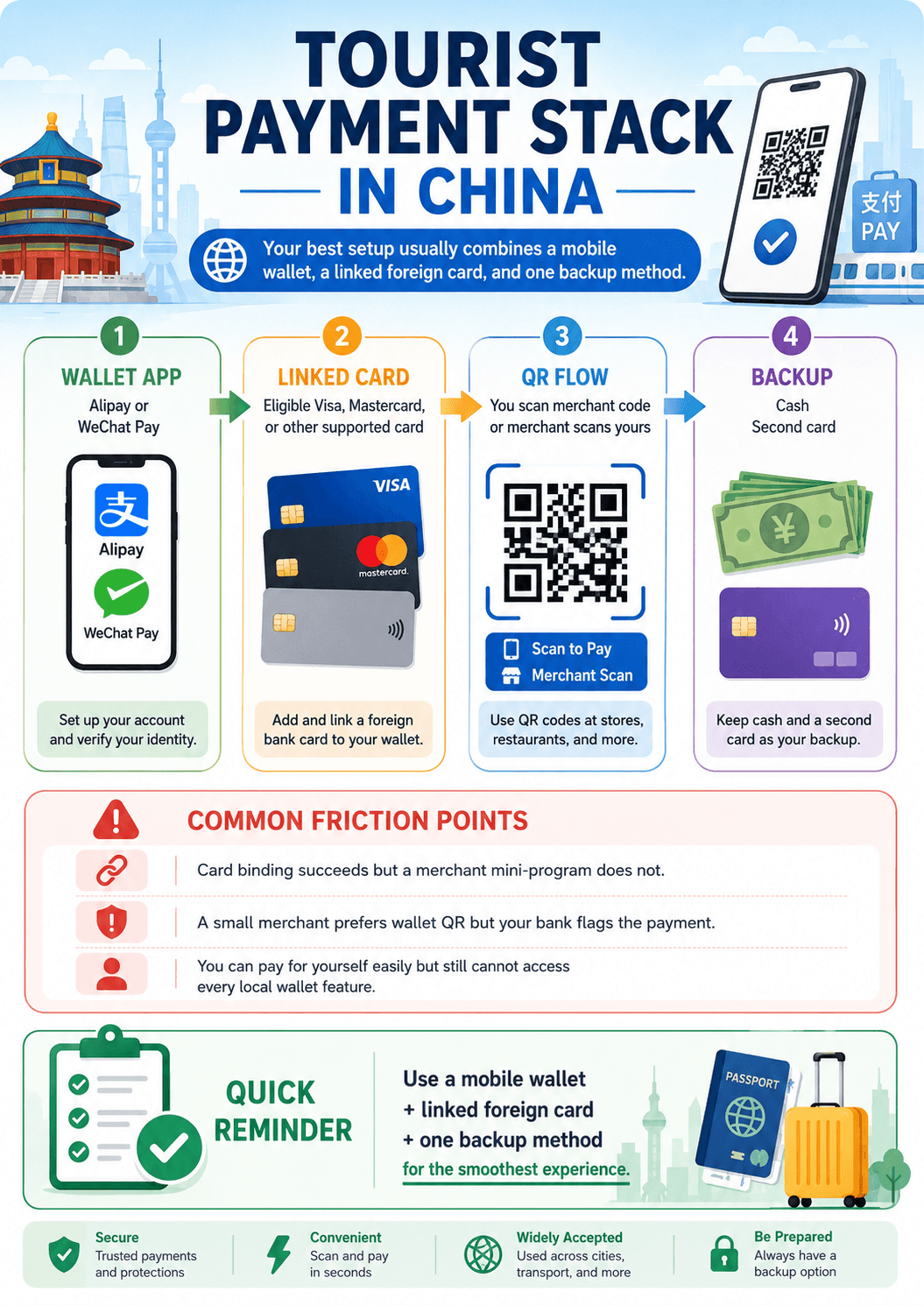
The practical sequence is simple: add the app, link a card, verify identity if prompted, then learn the two QR flows. The image is meant to reduce first-day setup mistakes rather than explain every wallet feature.
Keep this answer with your trip
Saved in this browser.
Practical answer, not legal advice.
Payment, telecom, app, and platform rules can change. Always verify current requirements directly with the relevant official authority or service provider before acting.
Sources
Test your payment readiness
Check your wallets, cards, cash, data, and first-day payment backups.